Don’t underestimate the importance of enewsletters! A regular monthly enewsletter has many outstanding benefits. It is a great way to communicate with clients, employees, vendors using a very effective medium that contains information which is usually very timely and up-to-date. With enewsletters, you can keep your audience up-to-date on current events, news and what’s happening in your company and in the industry. Your company will not only appear contemporary but also state-of-the art. Also you will be able to reach a broad spectrum of people, especially if the publication is delivered electronically as an online publication. This saves expensive print costs. You will have means for combining the distribution of other corporate communications. A collateral piece can be paired with or rolled into the enewsletter. This can help your company save costs. During the design stage, an extra page or panel can be added to a enewsletter. During the bindery stage an insert may also be slipped into the enewsletter. This can also be a “life-saver” when a last-minute event comes up and the newsletter is already printed. Another benefit of enewsletters is the means to create multiple impressions. Since enewsletters have a longer shelf-life or longevity than many other forms of communications, there is an increased chance that the publication may be re-read by the same person or picked up by another. If you’d like to boost morale among employees, especially when employees are quoted or appear in the publication, it can set the foundations for employees to look up to and strive for. Let’s face it—most employees like to see themselves in print. It makes them feel important. Moreover, it encourages them to be the foot soldiers for the company’s message. And lest but not least, you want to add to the credibility of a company. These publications often add to a company’s integrity especially when the enewsletter contains informative material rather than “fluff.” An informative educational enewsletter can really help substantiate a company’s image as the expert in the industry.

Registering a domain is the first step in building and managing a web site, and it plays a pivotal role in the site’s success. There are many factors to consider during he registration process, leaving many people confused about the simplest options. Business and private domain registration are two prominent features offered by registrars during the checkout process. Private domain registration is a service offered by most domain registrars, which keeps all of the information that you provide to the registrar private. If you do not purchase private registration, all of the information you give the registrar (except for payment details) will be available in a publicly viewable free database known as the WHOis database. Private registration protects you from annoying and aggressive marketers that can find your phone number, address and email address within the WHOis database. Private registration also protects you from lawyers, competitors and predators that could use your information for nefarious purposes. In a sense, business domain registration is the complete opposite of private registration. Private registration is meant to conceal your registration details, business registration is meant to promote them. When you opt for business registration during checkout with your domain registrar, you’ll be placing your domain and the DNS records (registration information) into a business WHOis database that is picked up by various business directories online. Business registration is another way to promote your business and build immediate exposure by putting yourself in an openly viewable database that can be viewed by your clients and competitors alike. Having your registration information available in the business database automatically instills trust in many people that want to know more about your company and your online business. Ideally, you should provide all business information when opting for business registration. For more information you can visit >>http://www.dynonames.com/articles/public_vs_private.htm
It’s a lot easier to prioritize anything if you come up with a list. When it comes to your business it’s better to be safe than sorry when you have certain goals you are trying to achieve and if you are a small business owner, chances are that having a digital marketing strategy will help you grow your business faster. Your checklist should start with your website. A website is the foundation of a digital marketing strategy; the place where you will direct traffic, collect leads and provide useful information about your company. Second on your business checklist content marketing. Content marketing is a strategic marketing approach focused on creating and distributing valuable, relevant and consistent content to attract and retain a clearly defined audience and to drive profitable customer action. Create a monthly calendar that outlines what content you will create and how you will distribute it. The third element you should consider on your digital marketing checklist is social media marketing. Not only does posting links to your content on your social channels increase traffic to your website and blog, but using social media also gives you a way to communicate directly with your customers and potential customers. For more information on how to conduct a digital marketing checklist you can visit>>https://www.thebalancesmb.com/digital-marketing-small-business-owner-checklist-4151947 or call Elegant Image Studios today and we will help you set your business up for success!
Social Media Marketing can really help you increase the flow of traffic to your business. One way it does this is though target marketing by targeting ideal buyers, customers, clients or patients, which allows you to drive more relevant traffic to your business. Not to mention that many people will perform searches at social media sites to find social connections that may also impact the relevancy of some search results, either within a social media network or at a ‘mainstream’ search engine. Facebook, for example, is a full-blown social networking site that allows for sharing updates, photos, joining events and a variety of other activities. If you are looking to increase traffic to your website and business, the best way of advertising your business is through social media. Many people sit and scroll through out the day and if they see something they like- they share it or tag friends who may be looking for the services you provide. SMM advertising isn’t just about the text that pulls in relevant traffic but it heavily relies on visual aid. Elegant image studios creates custom graphics for each post created. It is a well-known fact that visual posts on social media outperform text-only posts. To set yourself out from your competitors step up your brand with engaging visuals. But we know that creating graphics, conducting research for content, and posting can be time consuming. That’s why we will do it for you! We offer several different packages that will grow with your business and you will be able to sit back and do what you do best which is run your business. For more information call us at (678) 457-7939.
Most companies today spend a good portion of time and resources marketing to consumers. There are basic strategies that nearly every good marketer uses, such as ensuring they have a solid call to action buttons and that they know their target audience. Unfortunately, a mere 22 percent of companies say they’re happy with their conversion rates. If you want to take your marketing to the next level and gain even more leads and conversions, choose key tactics to implement. The following are strategies you might not initially think about but should use as soon as you’re able to. 1. Host an Event No matter where your business is located, there’s a local event that ties into your niche. If you run an HVAC service, for example, a local garden club may need hosts for their annual garden tea party. You can play host in countless ways. Act as a sponsor, for instance, among many other sponsors, or create an entire event on your own. 2. Enhance Usability One thing that’s often overlooked by marketers is the experience the user has once they land on the target page. It takes a lot of effort to drive traffic to your site, so once you get that traffic to your landing page, make sure you engage site visitors and keep them there. If your goal is to convert site visitors into newsletter subscribers, the process to subscribe needs to be simple and intuitive. 3. Find Your USP You’ve likely heard about your unique selling proposition (USP) before, but take the time to really dig into this concept. What’s completely unique about your company or product that no one else has to offer? This idea requires studying your competition to see what their USP is and then making yours different or better. 4. Figure Out Who Your Undesirable Customers Are You’ve likely already created a user persona for your ideal customers. It’s a common tactic for marketers to study their target audience inside and out. However, figuring out who your undesirable customers are can help you as well. These are the people you never want to deal with — those who complain non-stop or cost your company a lot of money because of returns. Knowing both your desirable and undesirable customers allows you to figure out the best places to reach those you want to reach and avoid those you don’t want as customers. 5. Reach a Global Market Unless you run a local service business, you’ll benefit from global outreach. One way to expand your customer base is by reaching out to global markets. If you sell a physical product, factor in shipping or foreign warehouse and delivery costs. If you sell a digital product or service, global marketing becomes a simple matter of getting to know the customers in those markets and what they want. 6. Go Mobile You’ve heard it over and over again — mobile is the wave of the future. Seven out of every 10 media minutes is spent on mobile devices, with smartphones accounting for about half. However, just making an ad mobile-responsive is no longer enough. Businesses need to look ahead to what mobile devices will be like and embrace changes now, such as the ability to interact in-store via an app. 7. Show Your Personality Don’t be afraid to show the quirky side of your business. The exception might be if you are in a very serious industry, such as finance or funeral services. Otherwise, let your goofy sense of humor show, and allow people to see what is unique not only about your company but also about its owners. 8. Choose Your Favorite Clients Is there a celebrity or local star you feel would be a perfect match for your product? Don’t be afraid to reach out to that person and offer some free samples. You may just get a shout-out in exchange and a loyal fan who will tell their very large following about what you have to offer. Ideally, these people will be influencers online or on the radio. 9. Start a Column Develop a loyal fan base by writing a column related to your business. If you sell golf clubs, start a column offering tips on everything to do with golf clubs — how to choose the right club, improving grip and so on. Next, find a site that will publish your column in exchange for a bio, and link back to your website (or find several). Alternatively, you can simply start a blog on your website and share the posts to social media. Try New Marketing Strategies You can get the word out about your business in several ways. When you see something clever, figure out the best way to repeat a similar strategy for your own business. Add new methods to your repertoire until you find the perfect mix of marketing tactics. With a lot of creativity and a little perseverance, you’ll create a successful marketing campaign in no time. Article from: https://www.websitemagazine.com/blog/9-key-marketing-strategies-you-may-have-neglected

We’ve all heard the old cliche – less is more. But, is it really true? When it comes to web design, the answer is yes. Simple website design offers benefits that more complex websites can’t match. While you may like the look of elaborate designs, when designing for function simplicity will win out every time. Digital marketing expert Neil Patel points out: Far too often I see websites try to jam too much information into a very small space. The navigation is confusing, and it’s overwhelming for anyone viewing the site. If this is starting to sound like the layout of your website, it could be the reason why your conversion rates are unsatisfactory. Even if you don’t think your design is too cluttered, there’s always room for improvement. Taking the time to streamline your website will create a better user experience and serve your business better. Here are 5 important benefits of simple website designs: Simple websites convert better. Simple web designs load faster. Simple designs are more mobile-friendly. Simple websites cost less. Simple websites reduce user friction. Let’s take a look at each of these benefits to see how you can make it work on your business website. Simple Websites Convert Better. The website landing page is a specific type of webpage whose entire purpose is to convert. The golden rule of designing a landing page that converts well? Keep it simple. Simple design makes it easy to draw the viewer’s eye to the most important area of the page – and, if you’re looking for conversions, that’s your call to action. Navigating a cluttered interface is no fun. It can be confusing, overwhelming and frustrating. And, it makes it harder for users to find and complete a call to action. Here are two easy ways to simplify your web design to improve conversions… Limit Your Menu Options It can be tempting to show your audience everything you have to offer right off the bat. But, that may not be the best choice. You want your website to be informative and user-friendly. But, offering too many navigation options is more likely to overwhelm your viewers than it is to help them. You’ll see conversions increase if you limit your menu options to just the essentials. A menu full of intriguing destinations on your website many entice viewers to click in deeper before they have a chance to act on the call to action right in front of them. Conversely, users may be paralyzed by a wealth of menu options and subsequently click away entirely if they don’t see what they want right away. The more menu options are present (and the more information your viewers have to sift through), the more decisions they have to make. And, decision fatigue is a real threat to your conversions. Psychologist Barry Schwartz, the author of The Paradox of Choice, points out: The more options we have, the less likely we are to make a choice because we’re paralyzed [with indecision]; or, if we overcome paralysis and make a choice, we tend to be less satisfied with our choice later. The bar [for obtaining satisfaction] rises with the more options people have to choose from. Make life easier for your audience by giving them as few navigation decisions to make as possible. And make sure the decisions they do have to make really count. Focus Attention on Your Call to Action The more opportunities you provide on your website to buy something, sign up for emails, or subscribe to your blog, the better… Right? Wrong. Pulling your viewer’s focus in too many directions at once will decrease the likelihood that they will actually act on any of those opportunities. (Decision fatigue – remember?) Simplify your web page and increase your conversions by eliminating anything that may draw focus from your call to action. In fact, go one step further, by using the design elements to guide the eye directly to the CTA. If you’re aiming for strong conversions, make your call to action the primary focus of your webpage. You should, of course, feel free to promote multiple offers on your website. But, limit each offer to its own page so that it can get the attention it truly deserves. Simple Website Designs Load Faster. Website load speeds are vitally important to the user experience; and, as a result, to your business. Did you know that viewers start abandoning your website after mere seconds of load time? Between seconds 4 and 5 of your website’s load time, 20% of viewers have already left your site. The number only increases from there. And, not only that, search engines take your website’s load time into consideration when calculating your ranking. A faster load time means a higher placement in the search engine results. If you want to optimize your website for speed – which you should – complex web designs are the enemy. So, pare back complex graphics. Simplify elaborate layouts. Minimize your photos and graphics to speed up load times. Trim your copy and compress your video files. Faster load times keep viewers around longer, create a better user experience, and increase the likelihood that viewers will even find your website in the first place. Simple Designs Are More Mobile-Friendly. As of 2017, 63% of all web traffic took place on mobile devices. This means that how your website looks on mobile is just as important – if not more so – than how it looks on a laptop or desktop computer. Simple web design is easier to translate into a small mobile screen than a busy, visually complex design. This may be one of the most compelling benefits of simple design – with so much web traffic via mobile, creating ease-of-use for mobile users is a no-brainer. Sure, you could maintain two websites – one for desktop and one for mobile. But, that requires twice as much work. It’s far better to have one simple responsive design that can easily transition from laptop to phone to tablet while maintaining the design’s integrity. With fewer moving pieces to juggle, simple websites with limited design elements are just naturally more flexible.
Check Your Links Few things look as amateur as links that are no longer relevant, or don’t work! Every so often, go back and click on every link on your website. Every. Single. One. If you link to outside sources of information, you need to check to make sure they’ve not been broken, removed, moved, or simply been eaten by some computer error. 2. Update Your Content Out-of-date content doesn’t look great. If you have a brochure site for a small business, and the prices are not often subject to change, it can be fine to mostly leave the content alone. But if you have any sort of blog, media feed, or what-have-you: keep it up to date. 3. Test on New Browsers and Devices When a new browser comes out, test your site. If your friend gets a new phone or tablet, ask to borrow it so you can test your site. A new version of JavaScript comes out? Test your site with it. Get a new TV that can browse the web? You get the idea, I’m sure. 4. Double Check All Javascript Interactions This is actually a big one. So many sites rely on JavaScript for basic functionality. Large swathes of content and even entire websites will stop working if their JavaScript stops working for any reason. 5. Double Check All Forms Forms can stop working for a variety of reasons. Whatever the reason, check the forms regularly, so you don’t lose business. 6. Update All Hacks and Workarounds Sometimes when others build websites they may use hacks. Workarounds. But browsers get updates, browser market saturation changes, and CSS gets updated too. Whenever you hear of any changes that might affect your site you should check to see if any of your workarounds are now obsolete. 7. Have a Backup Plan Have a plan for backing up your entire website. any decent web host should be handling backups for you. If not, contact us today. Article from: https://www.redinfographics.com/7-things-check-website-every-month/
Are you just getting started with a social media strategy for your business? Not sure what you should be posting about in order to generate followers and engagement?
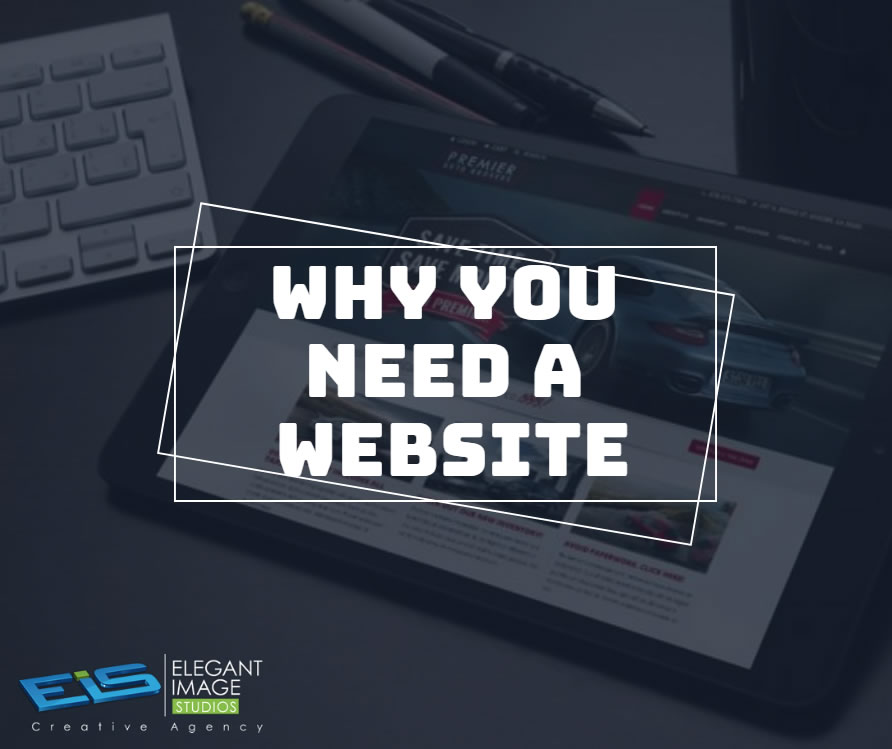
So you run a small business, everything is ticking along ok, so you don’t think you need a business website?

How to Turn a $500 Budget Into a Successful Facebook Ad Campaign When done right, Facebook can be a key tool in promoting your small business—even on a limited budget. With new updates on a nearly daily basis, it can be overwhelming trying to take advantage of all the features Facebook offers. Through its Ads Manager program, you have the ability to gain more followers, likes and impressions on a post, and even direct people right to your own homepage. While traditional advertising avenues are limited for the budget-conscious marketer, social media advertising can stretch even a $500 budget a long way with some careful thought to these four considerations: 1. Know your audience You can get a thousand likes on a post, but if none of those Facebookers care about your company, was that ad successful? This is where quantity vs. quality comes in to play. While both have their time and place— to drive real sales and profits from these ads, you need quality engagement. This starts with building the right audience. One of the most powerful tools Facebook Ads Manager provides you with is its targeting capabilities. Your company has a specific demographic and your targeted Facebook audience can reflect those details. Narrowing all the way down to age, gender, job title, zip code and even what kind of pages they already like are all ways Facebook gets your post where it needs to be. Before you even begin boosting posts, take a look at your existing audience. If your follower count is lacking, consider using $100 out of that budget toward getting new followers that meet your target demographics. 2. Thumb-Stopping Visuals The next time you’re going down your Facebook feed and your thumb stops scrolling, take note! Why did that specific post jump out at you? Maybe it was an eye-catching video or just a cute baby picture. Whatever the reason, that post got you to stop and look at it. Keep these visuals in mind when creating your own ads because we usually look at a picture before reading the accompanying description. Avoid stock photography if possible as it can make your ad appear generic. Try capturing your own compelling images or videos, or consider creating original infographics with a program like Canva to get noticed. 3. What’s the Point? With a smaller budget, it’s necessary to be a little picky when it comes to choosing the content you want to sponsor. Upcoming promotions/events, fun pictures and original resources/infographics are all great options to put some dollars behind. Once you settle on that post, it’s time to choose what you want to get out of it— Post likes? Clicks to your website? Video views? When you’re building your ad, keep these options in mind. 4. Test & Measure This final step is the most important when it comes to maintaining and improving the success of your ad campaign. Keeping an eye on what you’re promoting, what you’re spending and the results you’re seeing can help you evaluate how to move forward. See that infographic you boosted for $30 is getting a ton of likes? Add another $20! If it’s not broke, don’t fix it— there’s a reason why people are responding, you have an awesome post, spread it around! See a post isn’t doing so well? Scrap it and make a new one. Social media is all about trying things out and adjusting in real time— don’t be afraid to try new things and experiment. Social media advertising can appear intimidating at first, but it provides marketers with great opportunities. Learning how to make the most of advertising on social platforms like Facebook can help truly elevate your marketing efforts, no matter the budget. Article from: https://www.websitemagazine.com/blog/get-some-bang-for-your-social-buck

