

How your business deals with this global crisis in the next few weeks will determine how quickly you can resume your normal operations and be as successful as before. We understand that not every small business has the ability to adapt in a short amount of time. Focus on simple adjustments you can make now. If you are a restaurant, add a way for people to order online from your website if you do not currently have this option on your website. If you own a store, make sure you have an online shop on your website so customers can still shop and support your business. Now is not the time to go silent. More people are spending time on social media and accessing websites more than ever before. If you are a bakery, cafe, restaurant, a farmer, or other small business that needs immediate help with setting up an online store to be able to continue sales, fill out this form and we will reach out to you as soon as possible to provide you with special affordable pricing to get you functioning online fast. We will continue to run our business as normal, and we do not anticipate any disruption. We wish you good health and safety!
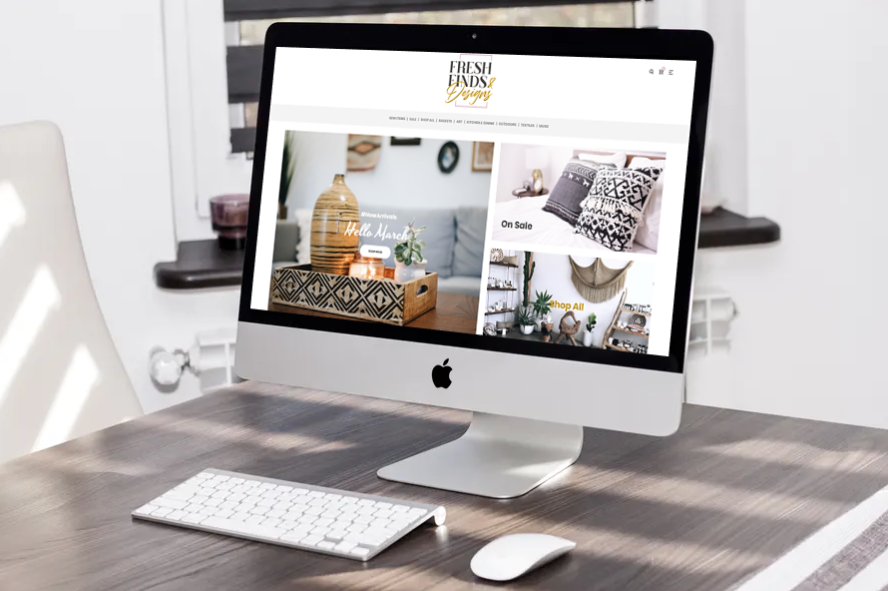
Fresh finds & designs will be an online store for vintage finds for sale with DIY information. They wanted a design that was simplistic yet, inviting with a focus on the products and categories. This design also features the logo we designed for them.

Color has a deep and often subconscious effect on our behavior. According to a study examining the effect of color on sales, 92.6% of people surveyed by the CCI: Institute for Color Research said that color was the most important factor when purchasing products. How you use color in your business can affect the success or failure of your business. Let’s take a closer look. We can thank Newton for discovering that color is the sensation of light bouncing off something and entering our eyes. Newton found that light is made up of many different wavelengths, each one perceived as a different color. For example, the color red isn’t actually in the strawberry itself. The surface of the strawberry absorbs all of the light except for the wavelengths we perceive as red. These bounce off of the fruit and into our eyes. We have millions of light-sensitive cells, or receptors, at the back of our eyes. The brain takes those signals and interprets them as color: in this case, red. Because the brain is interpreting the color, that means that color is, by nature, a sensation. Sensations are personal. It’s this fact that makes our choice and use of color so critical to the success of our businesses. The Qualities of Color While our perception of colors and what they mean is subjective, there are some basic qualities that we can apply generally. Red. Often considered exciting, attention-grabbing, warm, and connected to love, anger, life, and comfort. Yellow. Seen as adventurous, evoking happiness, enthusiasm, youth, and travel. Green. Of course, this color is connected to money, but it’s also known for its connection to balance, health, sustainability, and knowledge. Blue. The color of honesty, high quality, competence, trust, reliability, and integrity. Pink. This color evokes love, compassion, romance, gentleness, and sophistication. Purple. Creativity, royalty, mystery, respect, and playfulness are often connected to purple (and violet). Brown. Brown is the color of the outdoors and can be seen as friendly, organic, natural, friendly, and rugged. Black. This color is all about sophistication, intelligence, seriousness, and expense. White. The antithesis of black is known for its order, innocence, purity, cleanliness, neutrality, and space. Grey. When you need to communicate timelessness, neutrality, refinement, of the moment, or practicality, you might want to use grey. Picking The Right Colors A powerful brand starts with a professionally designed logo. Color plays an important role in logo design, as we discussed recently in our look at current logo trends. Research shows that anticipating your consumer’s reaction to a color and its relationship to your brand is more important than the actual color itself. Customers want to see that a color “fits.” For example, the color pink probably doesn’t fit with a brand like Ford or Harley Davidson, and black would be perceived as wrong for Fisher-Price or an organic health food store. It’s not that the company name Fisher-Price by itself evokes a specific reaction from its customers. But the overall composition of the brand, including its logo, marketing, products, etc. evokes a reaction that responds differently to different brand colors. The key takeaway here is that it’s less important what color you choose, and more that you choose colors that highlight or accentuate the personality you want your brand and product to reflect. For example, research on the use of color in retail fashion stores shows that customers are more likely to return and make purchases in a store that uses a blue color scheme versus orange. Researchers found that viewing the color pink actually causes people’s endocrine system (also known as the body’s chemical messaging system) to slow down, and our muscles to relax. So if you’ve ever wondered why so many products connected to soothing problems (such as pain-killers, stomach aids, and female hygiene products) include pink in their packaging, now you know: the color itself makes us think of relaxation and relief. Another study found that patients given placebo pills in warmer colors like pink reported them to be more effective than pills with cooler colors. Case Studies Here are several real-world case studies that illustrate how changes in color impact customer behavior. Case Study 1: Performable red vs. green study As we said in our look at how 21 companies use color: Interested in using the power of red to improve conversions, marketing automation company Performable A/B tested the difference in the performance of a red call-to-action button versus a green one. The red button showed a 21% increase in conversion. These results are impressive, but they don’t mean you should run out and change all of your buttons to red. Conduct your own tests to see what works for your business and your specific audience. Case Study 2: Apple Apple was on the verge of bankruptcy when Steve Jobs came back and turned it into a business school case study success. As Jeff Goldblum so eccentrically pointed out in commercials for Apple’s brand new “Bondi Blue”-colored computer, the iMac, color was a huge reason for this. Referring to the existing IBM PC beige box status quo, Goldblum summed up Apple’s attitude: “It’s beige, it’s boring, it’s bland.” You can see this trend continue in the products Apple created after the iMac (iPhone, iPad, the Apple watch, and more), and how Apple has used color in those products. You don’t need Apple’s vast resources to take advantage of existing color research and development, and all businesses can take a page out of their color strategy. Be more intentional with how you choose colors for your business. Don’t be boring. Original article from: https://www.websitemagazine.com/blog/what-color-says-about-your-business

Digital marketing is all about establishing an online presence and driving traffic to your brand. Once your target customer is at your website, however, how do you keep them engaged with your brand? Inbound marketing is one of the best ways to do that. Inbound marketing focuses on creating valuable experiences and attracting prospects with relevant and helpful content. It’s about engaging site visitors with conversational tools and platforms with the promise of continuing value to establish your authority and credibility. Most importantly, the success of inbound marketing relies on how you engage with social media. What was once simply viewed as a way for people to stay in touch and play games, social media has grown to become one of the most powerful marketing tools available. According to sproutsocial, Facebook has over 2 billion active users, Instagram has grown to 400 million daily active users, and Twitter boasts 326 million monthly active users who send 500 million tweets per day. The benefits of social media for inbound marketing go far beyond the considerable volume and broad reach. Social media is a marketing tool that helps you give your audience exactly what they want: interaction, engagement, and a level of trust. From building your brand to boosting SEO, the many benefits of social media for inbound marketing can help you reach the right people, at the right time, with the right message. According to SpiderWorks, building customer relationships using social media is all about delivering the value today’s audience demand. If you can provide relevant, informative, and even entertaining content, your targeted audience will want to connect with you. And when you engage with your audience, whether it’s replying to comments or criticism (in a positive, problem-solving way), you’ll create an even greater connection. Your prospects are checking you out on social media when they’re considering who they want to do business with, and the more active you are, the more those prospects will trust your brand. They are looking not only for credibility and authority but for someone they can relate to who understands their business needs. Social Media Builds Your Brand There’s no better marketing tool than social media for getting your brand in front of the prospects you want to reach. When you use social media as a core component of your marketing strategy, you create the building blocks for brand awareness. You can share insights to inform your audience, which builds authority. You can reach your audience where they spend the most time online, which allows you to garner a reputation for being tech-savvy and up-to-date. You can, and should, entertain your audience to build a sense of trust and relatability. Social media is a fast, easy, and inexpensive way to let your prospects learn about not only your business but also about you and what you represent. The images you post, the topics you discuss, and your overall tone will quickly help your target audience determine if they think you will be a good fit for their needs. Meet those needs with your social media content, and your brand will become stronger as you increase your reach. Showing you care about your audience and building your brand through social media is not a one-way street. One of the best perks of using social media as part of your inbound marketing is the “insider” information and feedback you get from the very customers you are trying to attract. When you’re active on social media, you have access to more content ideas than you could ever use. Forums, online review sites, and other platforms your prospects frequently offer an almost endless supply of ideas for creating the kind of content your audience is craving. When you’re looking for ideas for creating relevant and trending topics, you can browse these platforms to find out what works for your audience and what doesn’t. You can also gauge your competitors’ interactions to learn from their successes and failures. And once you’re ready, get on these platforms and engage your target audience. There’s no better way to learn what is important to your prospects than by getting direct experience and feedback. Remember, your audience wants to find the right business for their needs, and they’ll be glad to fill you in. Social Media Promotes Content to Help Establish Your Authority When you fully adopt social media, those digital platforms can help create a cycle with content and interaction that establishes your authority. By taking the insights and feedback gained from using social media, you can create valuable content for your audience and promote that same content via social media to keep the cycle going. Consider the potential involved with knowing exactly what type of content to create. You post engaging content, which attracts targeted prospects. Your prospects, in turn, share your content or comment on it, instantly increasing your reach to even more prospects. Keep reaching your audience this way, and you can’t help but attract new customers to grow your business. While social media use isn’t one of the factors that affect rankings with search engines, there is an undeniable link between an active social media presence and the impact of SEO. The more you use social media to interact and promote your content, the more exposure you create for your business. The increased exposure and valuable content, combined with your other digital marketing efforts, help expand your reach beyond just your target audience. When your social media marketing reaches the level where you and your business are widely considered to be authoritative and credible, relevant online influencers can begin to re-purpose or link to your content. This broader reach and the increased clout from being recognized by respected online authorities positively affect your SEO across your marketing efforts. Of course, you can always pay to boost your SEO, and in some cases, this is a viable option — but for strong, long-lasting relationships with your prospects and customers, you just can’t beat boosting your SEO organically. Social Media Inspires
With the holiday season coming in fast, it’s important that you reap the benefits while you can. During the Christmas season people are actively online or out shopping trying to find the perfect gift for their family members, friends, and coworkers. This is the best time to market yourself, your brand, and your business as well as make a good impression to have long lasting relationships with your customers and clients. One benefit of the marketing during the holidays is doing just that-connecting with new people! Holidays are a great way to connect with your social media audience. As long as you keep your audience in mind and approach your social media marketing with great content and holiday graphics that connect with the heart, you’ll get the engagement you seek. The holidays can be a good icebreaker for new leads and they’re simply a nice change-up for your existing customers who are loyal to your business. Plus, it’s easy to create holiday posts for your social marketing plan. The holidays are the best time for you to take this opportunity to offer a super deal and/or offer special “gift giving” promotions to give back to your audience. Well-crafted holiday posts can encourage people to feel like they’re a part of something bigger. Especially when your post encourages them to give back to the community and to share for greater rewards or incentives. The biggest benefit of this strategy is creating a give and receive dynamic between your business and your audience. When you offer deals or rewards, people who are already spending money may spend an extra few dollars to get the deal and are more likely to repeat business or share your business with their friends or family looking for similar products/ services. People love to share holiday posts. People want to be a part of something bigger than themselves so when they see posts that are inspiring or if they see you’ve got great promotions going on, they’re more likely to re-post and tag their friends and family which is essentially good for business. This increases engagement and, ultimately, can increase page likes and reshares. As long as you know your audience you can aim to surprise them with engaging content using holiday and event posts which allows you to connect with your fans and followers to generate more likes and shares. Consumer traffic reportedly goes up by 150% during the holidays. So with that in mind utilizing social media can be a huge benefit to your business overall. Higher numbers means higher potential. Businesses should invest in social media marketing right before and during the holidays so they can maximize profits, increase their visibly and brand loyalty, connect with new audiences and expand their reach. The benefits simply outweigh costs.
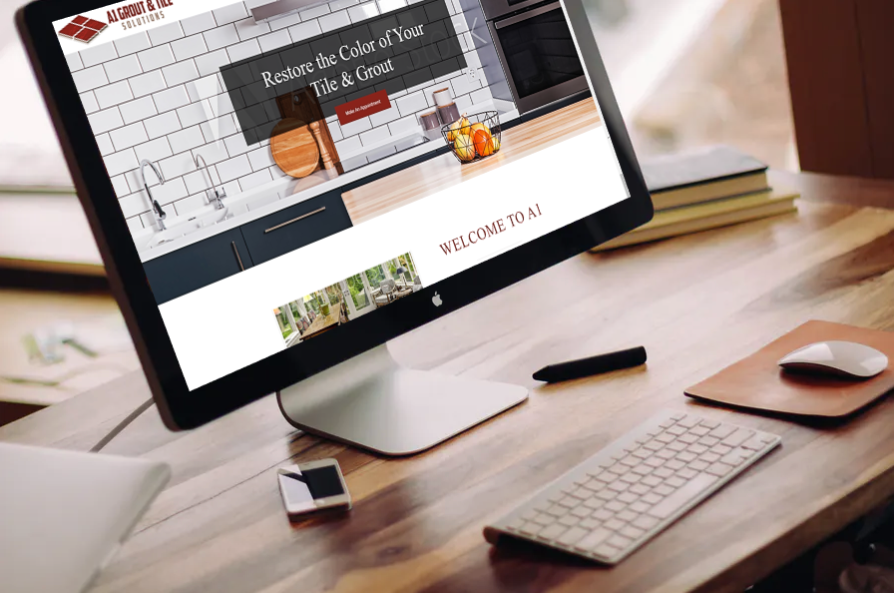
A1 Grout & Tile Solutions is a Barrow County Georgia grout cleaning company you can trust for amazing results! Whether your home or business needs grout cleaning, bathroom or kitchen tile grout cleaned, A1 has the experience & know-how to serve you!

Congratulations! You’ve hired an expert team to help you take your Facebook advertising to the next level. This is the beginning of what will likely prove to be your most profitable year to date. BUT… Before you get to making the most of all of that Facebook marketing magic, you’ll need to do one thing: Provide account access to your agency! While you may be scratching your head about how to do so, the steps are fairly simple. We’re about to walk you through them from start to finish, so follow along and you’ll be done in the blink of an eye. There are two different ways to provide access to your Facebook Ads account—and multiple levels of access—that you can provide to your new digital marketing agency. We’ll be covering both, as well as which of these make sense to provide to different people at the agency. You’ll see that we do concentrate on using Facebook Ads Business Manager Account, as it’s really the best way to provide access. If you don’t want to go that route, no worries, we’ll give you the sneaky backdoor avenue to provide access to your agency at the end of this post. (But we highly recommend reading the rest to see what you might be missing!) It’s time to get your advertising into high gear, so let’s get started! But First… Do you have a Business Manager account associated with your Facebook Ads account? We highly recommend setting up a Business Manager account as it allows you to: Manage accounts, advertising, pages, and applications from a single location Manage multiple accounts at the same time Provide your team/agency members different levels of access privileges, according to their role/needs Organize all reporting in a single location Partner more easily! If you haven’t already signed up for Business Manager, take the following steps to get started with this important tool: Visit business.facebook.com. 2. Select Create Account. 3. Enter the name for your Business Manager (business name). 4. Enter your name and work email address. 5. Select the primary Page you’ll be using for your Business Manager by typing its name into the Search box and clicking on the appropriate page. 6. Finally, you’ll want to add a Facebook Ads account to your Business Manager by typing your Ads account name in the Search box and clicking on it when it appears in the search results. That’s it! You’ve successfully created your Business Manager, added your company Page and Ads account, and you’re ready to share access with your agency partner! Now That You’ve Created Your Business Manager… Now that you’ve got your Business Manager created, it’s time to get into the real meat and potatoes of this post! So let’s get down to it! Start by going to business.facebook.com. This will bring you to your Business Manager page. In the top right corner, click on Business Settings. When you scroll over the menu icons (the blue “people” icon and the grey icons beneath it) your Settings menu will open up. Click on Ad Accounts to assign a partner. Select the account that you want to add a partner/provide access to. In the top right corner, click on Assign Partner. This will open a new panel in which to enter your partner’s information. You’ll typically want to select the role of Admin for your digital marketing agency, as they’ll need it to effectively handle your advertising. If you’re curious as to what each of the roles allows access to, let’s take a quick look: Admin — Admins have full control over your advertising account. They’ll be able to make adjustments to billing info, create ads, and even post and manage your fan page. This is access you should only give to a trusted partner, like your digital marketing agency. Advertiser — If you have an in-house marketing team, you may choose to select this option. This gives the partner full access to advertising capabilities, but doesn’t allow them to make changes to billing info or post to your fan page. In this case, you’ll be responsible for updating this information and, if a problem comes along, your campaigns may be paused until you can handle the issue. Analyst — Analyst access can see everything going on behind the scenes of your advertising, but can’t actually make changes to anything. This is the level of access you might provide before hiring an agency or if you were training an in-house team member that was unfamiliar with Facebook advertising. Once you’ve selected the Role for your partner, you’ll be provided with a link to share with them. This is one of the ways you can provide access. The second way to provide access is by clicking on the blue words – “Connect your business account using your partner’s business ID instead.” When you click on this blue link you’ll be met by a new popup asking for your agency’s partner ID. Your agency will provide you with their ID (it’s at the end of their Business Manager URL). Enter the agency’s ID number and click Connect. For example – Elegant Image Studios clients enter 230733423764254 At this point both you and your agency will receive a notification that they have access to your account and they can begin managing your advertising. Providing Access to Your Page(s) You’ll also want to provide access to your Page(s) to allow your agency full access to effectively manage your advertising. To do so: Open your Business Manager. Click on Business Settings. Scroll over the icons on the left to fully open the Settings Menu. Click on Pages. In the top right, click on Assign Partner. This will open a new panel in which to enter your partner’s information. Note: Again you’ll typically want to select the role of Page Advertiser for your agency as they’ll need it to effectively handle your advertising. Once you’ve selected the Role for your partner, you’ll be provided with a link to share with them. This is one of the ways you can provide access. The second way to provide access is by clicking on the blue words – “Connect your business account using your partner’s business ID instead.” When you click on this blue link you’ll be

There are a host of things from content to malware to browser upgrades and even links that need to be up to date if you want to get the most out of your investment. Unless you have your own IT department that includes experienced webmasters and coders, a website maintenance plan is a good alternative. Website maintenance is as important as car maintenance. You want to keep things up-to-date and running smoothly if you’re going to use it everyday, don’t you? And if people Soare using your site regularly why not keep in good working condition for them? The internet changes all the time and if you’re not updating your site you and your user’s can hit a bunch of road blocks in terms of experience which can have detrimental effects on your sales. One benefits of a maintenance plan is improving user experience. Improving your user’s experience can increase sales because these days performance is everything. If your user’s are getting slow loading pages or even that annoying 404 page when trying to search or buy your products and services it can definitely discourage them from continuing to buy from your business online. You don’t want to lose sales due to something as simple as a maintenance issue. Another important benefit of a maintenance plan is security. Security is incredibly important because thousands of websites are hacked each day. Website maintenance ensures your website and servers are updated and current with the best software and security out there can protect you and your consumers. Many times it is software updates that have holes in them which can be exploited unless you have someone who knows which updates to use and how to close holes when they do appear. Doing the updates yourself because you think you’ll save a few coins can really put you in a bind if you get hacked. That’s why hiring a professional to maintain your website updates and security updates may be better for you in the long run and is more cost effective. Plus, hiring a professional can ensure your site will be maintained from top to bottom even when you have a smaller issues. We all know that if we have to do it ourselves we are more likely to procrastinate in fixing the small things. Small problems and issues can be ignored but over time they add up. The end result can be in a steady loss of business or down time while you have to stop and fix the entire thing. Website maintenance professionals check on codes, review your tags, provide browser support and upgrades as well as handle proactive website bug fixes, all to help keep your site running smoothly which in turn helps you make money consistently without long downtimes. Ultimately, web maintenance is a necessary preventive to keep your site in good working order, safe, and running efficiently. The benefits of having a website maintenance plan often outweigh the costs by a wide margin because potential money lost from problems or affects both your business image and profit margin. In order to maintain your brand and your mission to your consumers online, investing in a maintenance plan will allow your user’s to feel to safe to do repeat business with you as well as tell their friends about your products and services which brings in new business. Call EIS Today and ask us about our maintenance plans. We work hard to keep your site performance at it it’s best so you don’t have to worry about losing customers or clients to website problems.
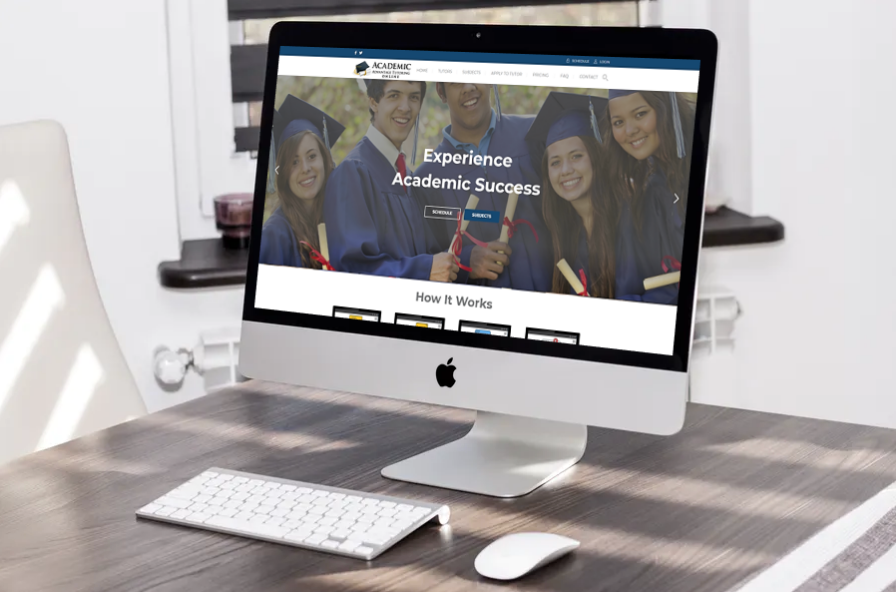
Website design for Academic Advantage Online Tutoring has been completed. This will be their new 2019 website. Face-to-face live interaction with tutors online. Sharing study material & upload files. All tutoring sessions are recorded.

Website design concept has been completed for Drinkable Pool Water. Drinkable Pool Water Systems are the only systems available in the USA offering 4 different technologies calibrated and controlled by one central control panel in order to achieve the absolute best results.
