
HUGE #SALE!! Our packages are half off for #SmallBusinessSaturday through #CyberMonday!
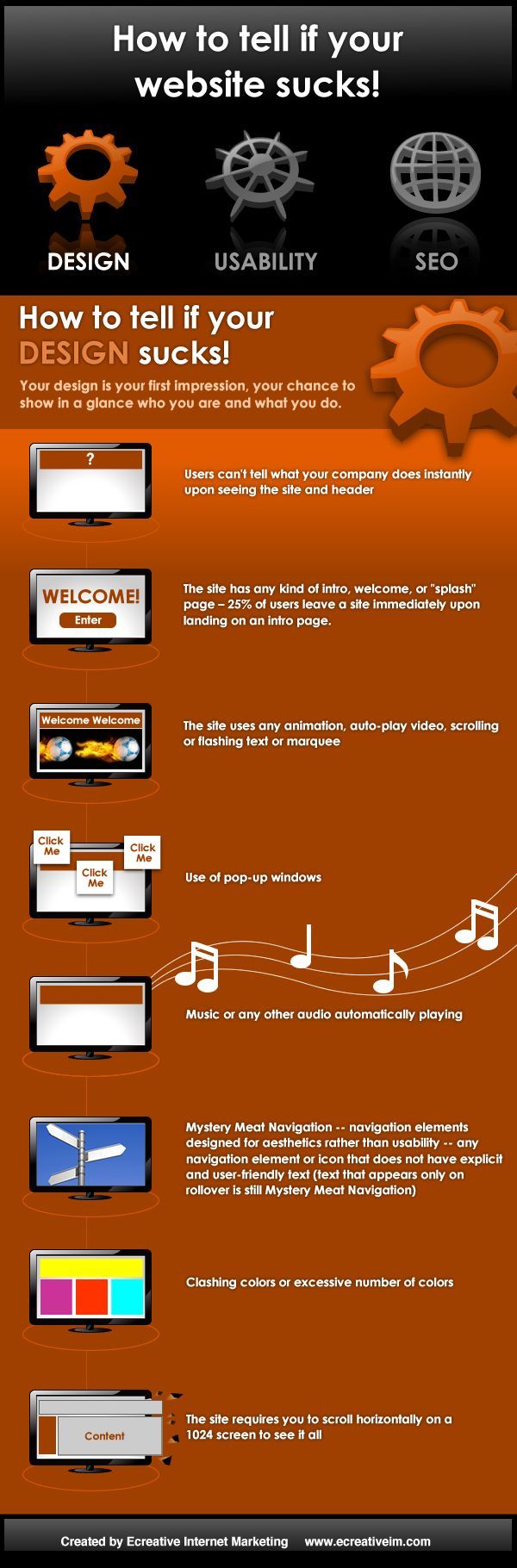
Your design is a person’s first impression of your business. this is your chance to show in a glance who you are and what you do. Users can’t tell what your company does instantly upon seeing the site and header. The site has any kind of intro, welcome, or “splash” screen. 25% of users will leave a site immediately upon landing on an intro page. The site uses any animated gif’s, auto-play video, scrolling or flashing text or marquee. Use of pop-up windows. Music or any other audio automatically playing (unless you are a musician or have an entertainment site). Clashing colors or excessive number of colors. The site requires you to scroll horizontally on a 1024 screen to see it all.
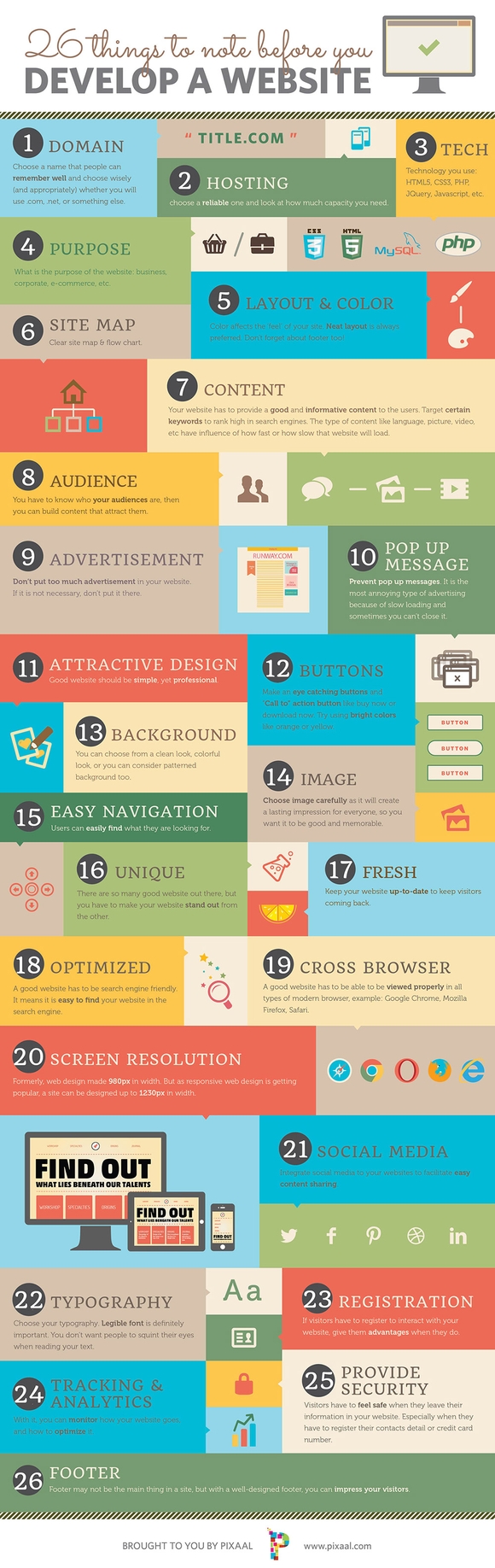
Sometimes we just want to be frugal and save money. We wonder, if we can save some money and get the same product, then why not do it? Well with web design, this rule can lead you to get a bad product or even worse, LOSE MONEY! Do not despair, there are also benefits of a having a cheap web designer. So let us see what the advantages and disadvantages of hiring a cheap web designer for your business or blog. First, Let us Look At What Makes a Good Web Design (see image to the right) Domain Name Advice & Service Hosting Advice & Service Tech Purpose Layout & Color Site Map Content Audience Advertisement Pop Up Message Attractive Design Buttons Background Images Easy Navigation Unique Fresh Optimized Cross Browser Compatibility Screen Resolution Social Media Typography Registration Tracking & Analytics Provide Security Footer As you can see, a lot of things go into making a good web design which are usually incorporated by good web design companies. Whether it be incorporating social media, tracking analytics, or good layout colors. Now this shows what actually has to go into a website, which is a lot of work. Now imagine how much work that would take to incorporate every single one of those elements. This is where a cheap web designer comes in. So let us look at the disadvantages of having a cheap web designer. Disadvantages of a Cheap Web Designer: 1. You Get What You Paid For If you are buying a cheap product, chances are that it will not be build with quality. It will break, not last long, and may be even harmful. In the case of a spending $100-$200 on a cheap web design by a cheap website design company, it means that you will get a mediocre website because you did not compensate the web designer enough. Remember, this is PROFESSIONAL WORK, therefore it should be treated with a professional price. When you pay little for professional work, you are going to get a website that functions poorly, does not have any search engine optimization, and is destined to turn your viewers away to go somewhere else. Little pay for a web site will usually get little work done to it, at least the amount of work that you paid for. A cheap web design service is not always the best way to go, especially for your business. A website is kind of like an investment, you put more money in and you get more money out! So think twice about getting a web design cheap from some place online for $100. 2. A Cheap Web Designer Will Usually Not Give You A Return On Investment A cheap web designer will usually put enough work that you paid him to do, therefore it will be the bare basics. When it comes to web design, the bear basic are not enough. You need search engine optimization, which will get you to the top sports of Google and in return drive TONNES OF TRAFFIC to you website. You also might not get a responsive web design which will cater to the needs of people searching for your website on a tablet or mobile phone. This will hurt your chances of getting traffic, sales, and a return on your investment from your website. Advantages Of A Cheap Web Designer: 1. Having Saved Money If you do you a lot of research for a honest and cheap freelance web designer that can create a great website for you for a good price then you might get lucky and save money. This is especially true if you don’t plan to use your website for major traffic, just local traffic. 2. Finding a Diamond in the Rough Hiring a good web designer cheap can mean that you just found a contact that can help you build other websites. This is important and can be a tremendous help to all your friends. So if you look hard enough, you just might find a diamond in the rough. In the end, Hiring a cheap web designer can be a bit risky and give you a low return on your money.

What are keywords? Keywords are words, terms, or phrases people enter into search engines when looking for a particular topic. In order to use the Google Keyword Planner, you need to set up an AdWords account. You do not have to pay for ads to use the Keyword Planner. Set up Google AdWords Go to https://adwords.google.com/KeywordPlanner Fill in your email address and website (un-check any undesired services) Fill out your personal information Verify your account Google isn’t going to let you in until you set up your first campaign. So, quickly fill in the required information. I put $1 in the daily budget. Yes, they’ll even make you put in your credit card information. But, you do not have to activate your campaign. You card will not be charged any fees to use the Keyword Planner. Review, and click finish and create campaign. Head to your email and verify your account You now have access to Google Keyword Planner, click Take me to my account. Okay, now that your account is all set up, you’ll never have to go through those steps again. You’ll be able to log in and only use the Keyword Planner. How to use the Keyword Planner Go ahead and ignore Google’s promptings to start your first campaign (unless you want to, then by all means, go ahead!) In the top navigation bar click tools and drop down to Keyword Planner. Under What would you like to do? click Search for new keyword and ad group ides Type a handful of words or phrases related to your post. Use a comma to separate different keywords. Click Get ideas Underneath the graph, click the tab Keyword Ideas You will be given results for the keywords you searched for + relevant keywords! Why use Google Keywords Who doesn’t want more blog traffic from search engines? Using the Keyword Planner tool can help you narrow in on what people are searching for. I have found that I don’t always use the same phrases as most people, so I’ll go through and change those phrases. It can also give you ideas for future posts. Post By: By Kristie Hill
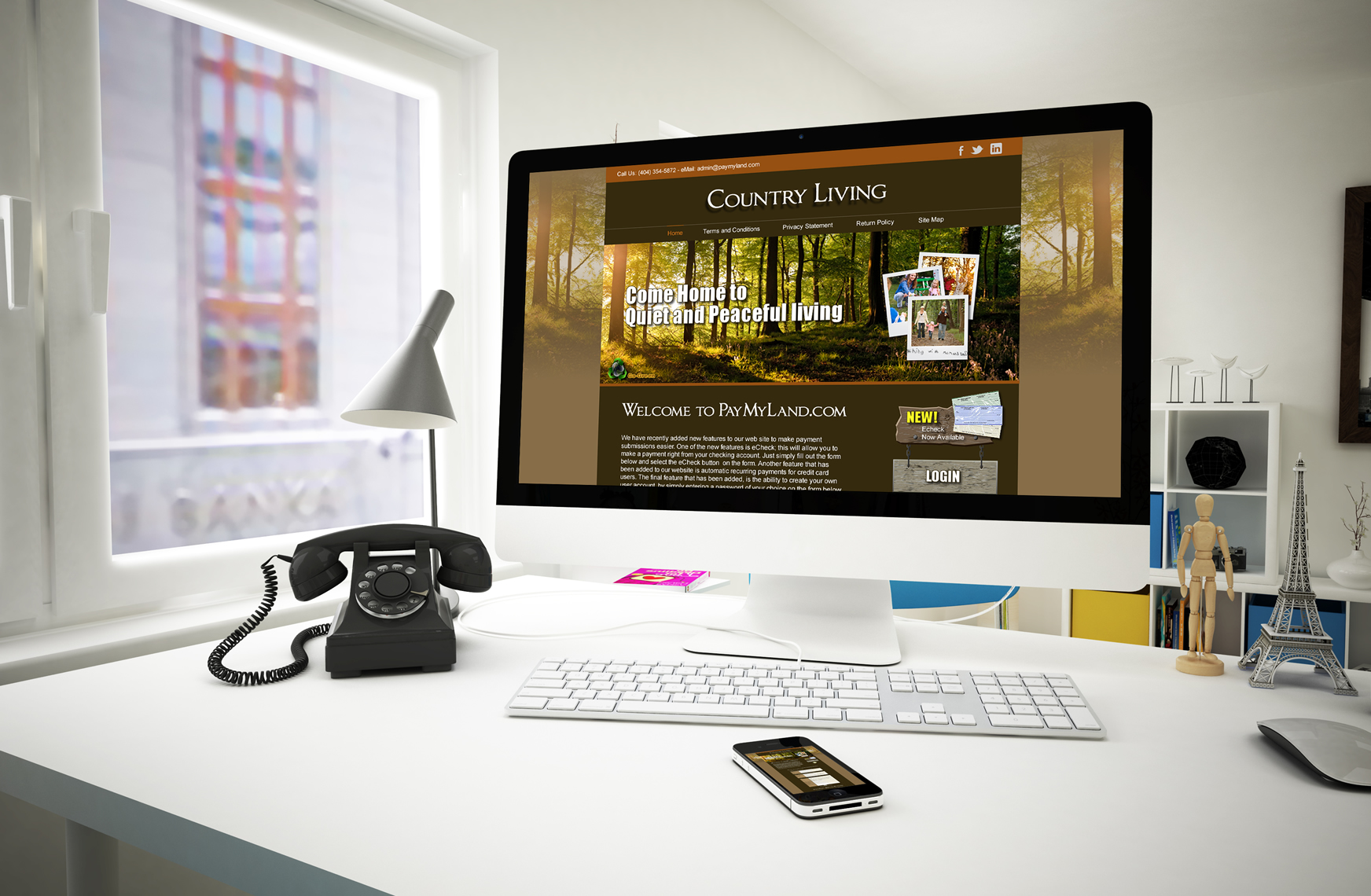
PayMyLand.com called us the other day to discuss updating their current website to make it responsive. They wanted to keep the current color scheme and overall look and feel. So we did just that. Thier current site can be found here www.paymyland.com

Things have been extremely busy here at EIS and we are working fast yet making sure each site that is currently under the development phase is set up correctly and will get the best results for each client. Here are our current sites that are in the development phase with a teaser snapshot of each. Snapshots coming soon for Figueredo Law Offices, Rock City Cycles, UGA College of Pharmacy, Atlanta Insurance, Diamond Blue Carpet Cleaning, and The Harsh Law Firm. PUGLISE LAW FIRM THE TYLER LAW FIRM FORESTER ROLLER
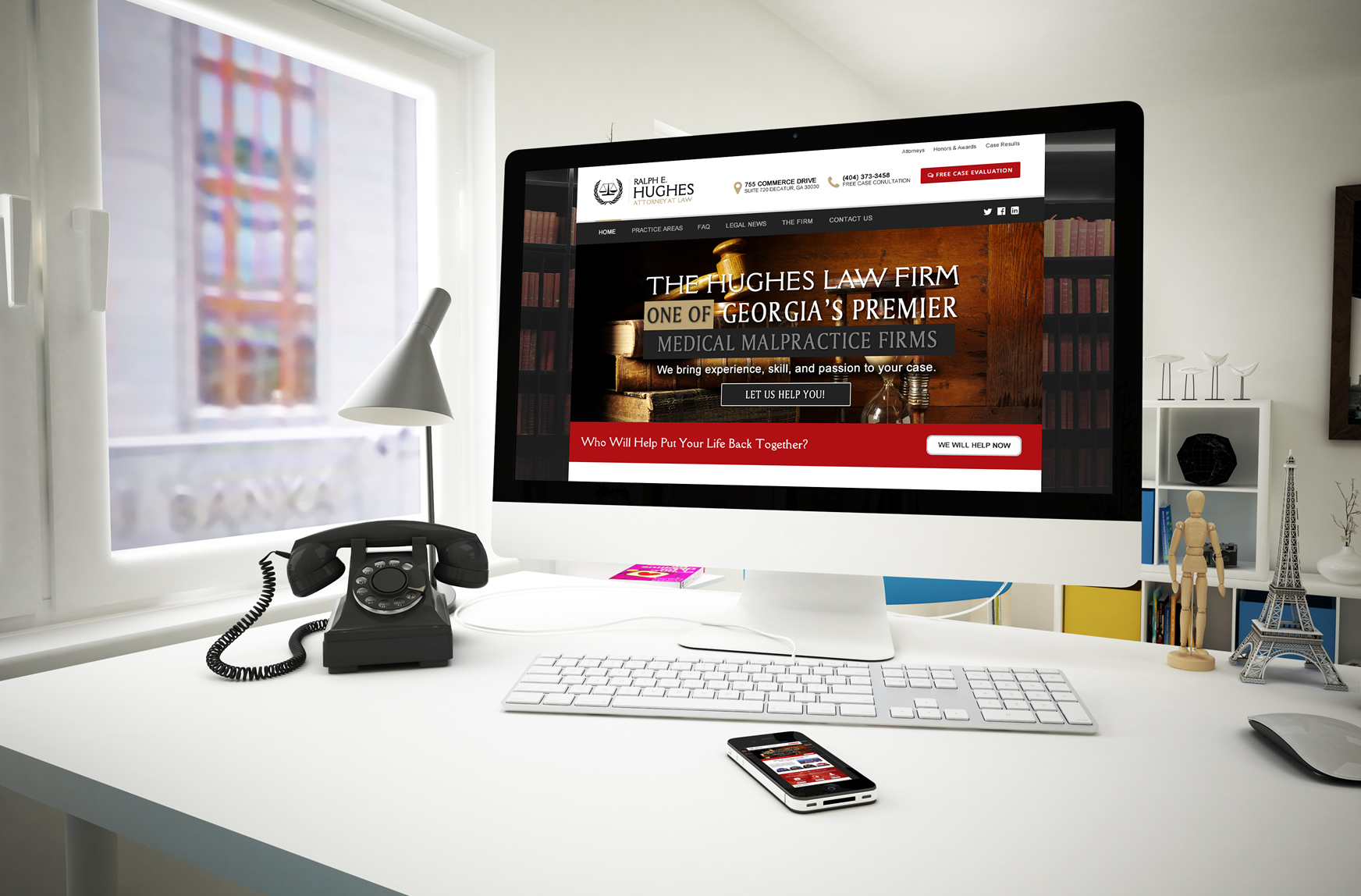
We first designed and developed their existing website back in 2009. Ralph Hughes recently contacted us to re-design their site and bring it to 2015. Negligence or carelessness of another’s actions may result in horrific, life-altering injuries or death. The aftermath of such an occurrence will cause you tremendous confusion and stress. How will all your medical bills be paid? How will your lost income be replaced? If your child is hurt and will never be able to care for herself, how will she be cared for when you are gone? Wherever you turn there is conflicting information about what to do and how to do it. The Hughes Law Firm can help. This particular design would include: A drag and drop page builder to make editing a breeze for the client. Slider Revolution used to create a responsive (mobile friendly) or fullwidth slider with must-see effects and meanwhile keep or build the SEO optimization. Fully Responsive design – Whatever you are using to view the site will run as it should be. It will automatically re-size to fit smartphones and tablets. Easy navigation to make navigating the site an easy task for the site visitor. 600+ Google Safe Fonts Clean HTML5 / CSS3 tabless design Retina Ready Case Evaluation Form Compatible in all browsers & more.
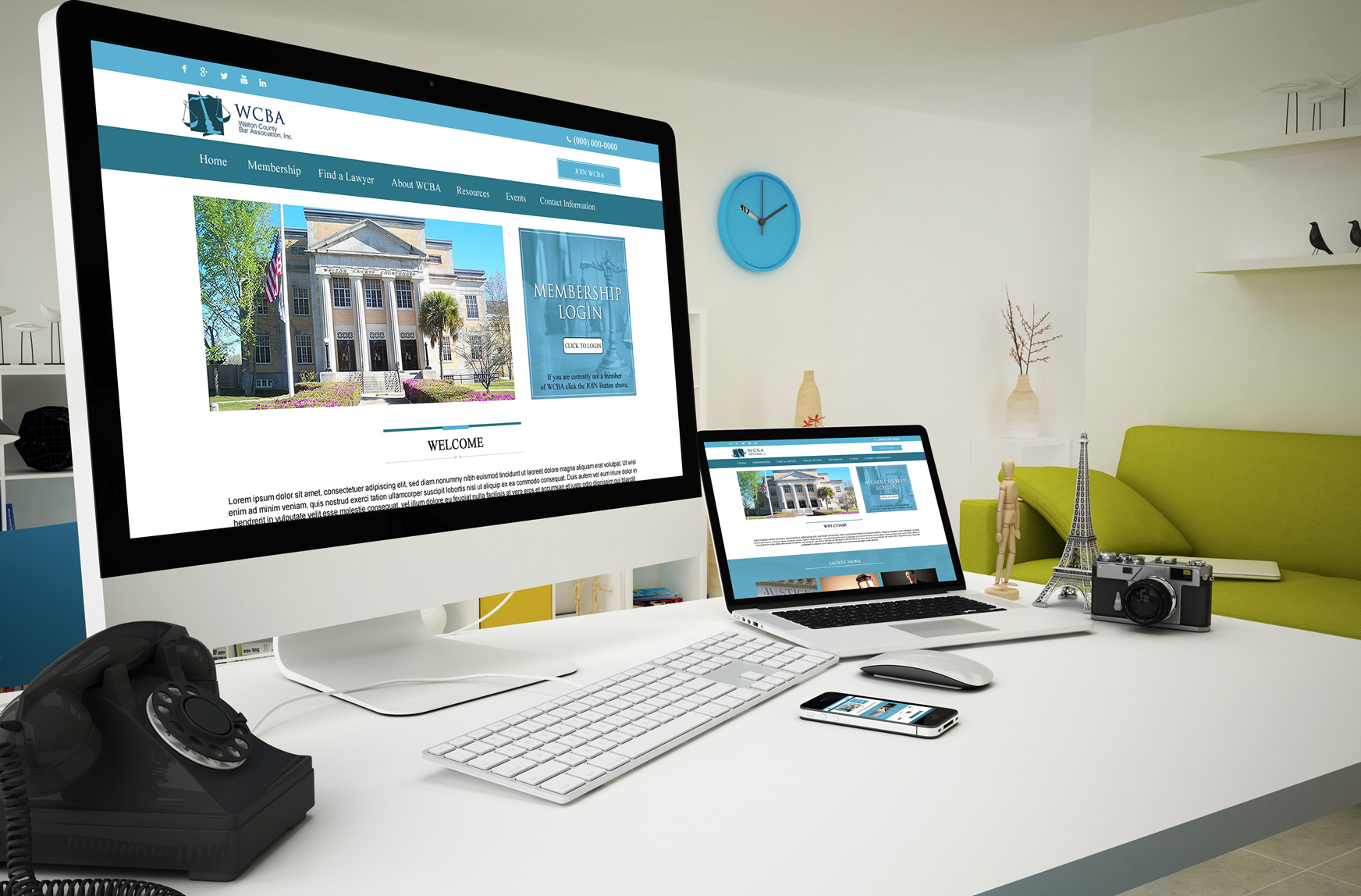
The Walton County Bar Association in Florida contacted us in need of a website. They currently do not have a website but decided that it was time to have their Bar on the internet. A professional website design that is clean, neat and tidy, which will certainly make the best impression on current and future site visitors. It would have a responsive layout that looks great on mobile and tablet devices. This particular design would include: An Awesome Page Builder to make editing a website easy for the client Coded with HTML5 & CSS3 Events calendar Mega menu Google fonts Integrated with a Google Map Slider Revolution Compatible with all Modern Browsers Widgets can be used in Mega Menu Responsive HTML theme, adapts perfectly for any mobile device Premium design Working Contact Form Responsive Google Map Font Awesome Icons jQuery Powered Custom Transition Effects Image Hover Effects
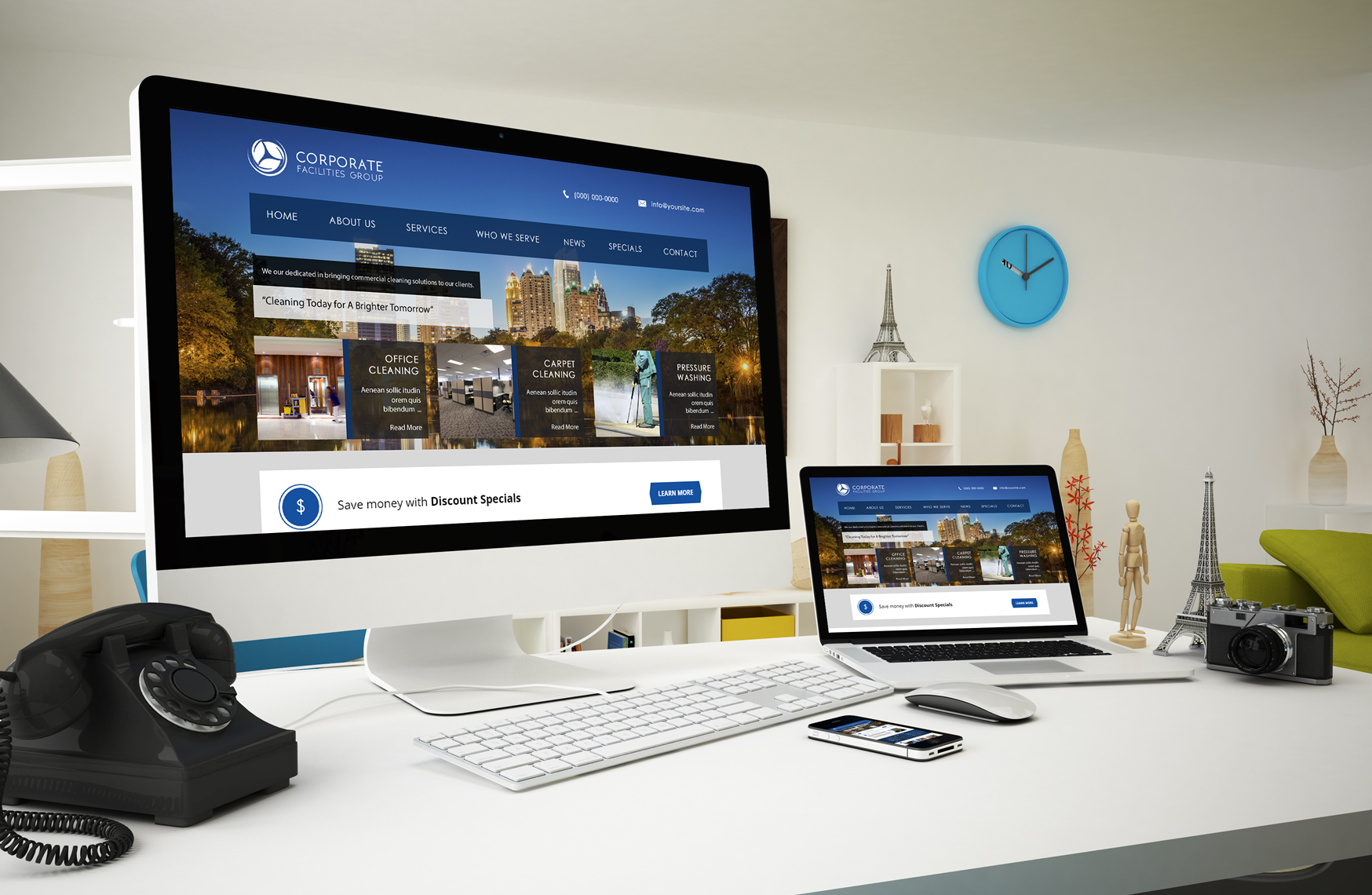
Corporate Facilities Group is one of newest clients here at EIS they provide janitorial services to business owners and corporate buildings. This design concept would include the following: WordPress Live Customizer Fully Responsive Lots of Individual options for each page HTML5/CSS3 with fluid animations Unlimited sliders Visual Composer (Page Builder) 519 Icons (Font Awesome) Over 500 Fonts (Google fonts) Custom widgets Page heading variations (Static Promo text, sliding promo text, slider, featured image) Ajaxified contact form & More
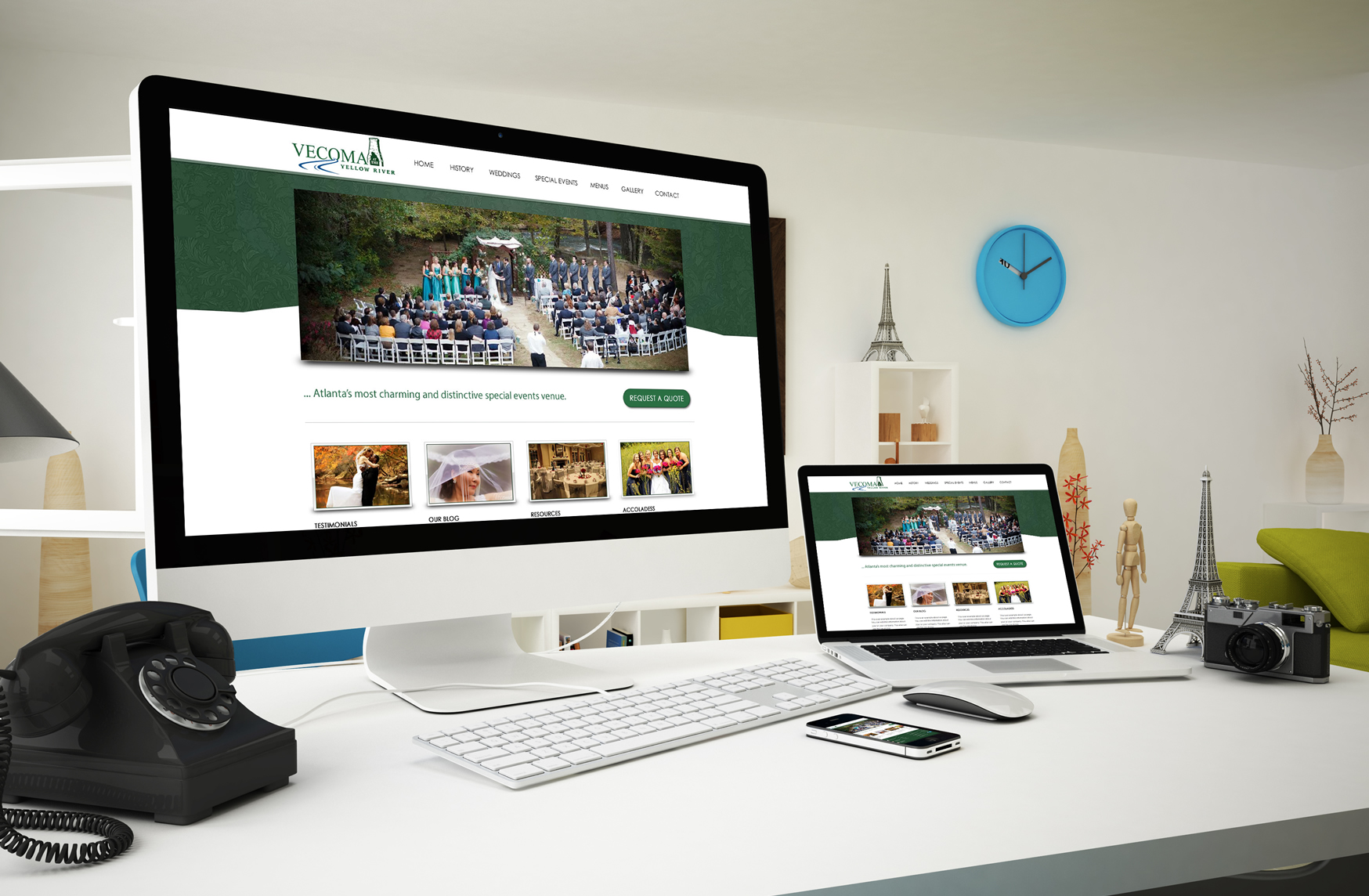
Welcome one of our newest clients. Vecoma at the Yellow River. Vecoma is set upon a magnificently wooded forest and is the perfect location for parties, weddings and receptions, banquets, company picnics, and dances. Early in the 1920’s, Cotton Mather’s furniture business had flourished enough so that he, his wife Venie, and their four daughters could afford a retreat away from the bustle of Atlanta. To ensure privacy, Mather purchased property on both sides of the Yellow River. As early as 900 B.C. this land formed part of the extensive native American southern trading route. This first design would include: Drag & drop Homepage Contents Manager Contact Form Manager Built-in SEO plugin Site Speed optimization, compress javascript, CSS files Recent Posts Popular Posts Category Posts Twitter feed Map Flickr photostream (if wanted) 3 Different Portfolio page styles Portfolio list and detail page with filter by set option Full-screen Image Gallery with uploader support multiple images upload Blog page single post and comments Unobtrusive jQuery powered effects & More

